Someone always ends up as the travel agent. You book six seats, the confirmation goes to your inbox, and for the next month people ask you to “send my ticket”. Then on the day, half the group is standing at the gate waiting for you to find the right PDF.
The usual ways to share, and where they break
Most groups try one of these:
- Forwarding the email to everyone. Each person gets all six tickets mixed together and has to work out which one is theirs.
- A shared album or chat. Fine for the hotel address, risky for barcodes. Screenshots get buried under photos, and old versions stay around.
- One person carries everything. Simple, until that phone is at 3 percent or that person is stuck in the toilets with the passports.
A few rules make any of these better. Split the PDF by traveler before you send it. Name each file with the first name and the date. Make sure a second adult also has the children’s tickets. That last one matters most, because a single dead phone should not stop a family at security.
How it works in Travel Wallet
You create the trip, then add the people who are going to your crew. Adults can join from a link you send. Children are added as children and need no account of their own. Your crew is saved, so next year you add everyone in one tap instead of typing it all again.
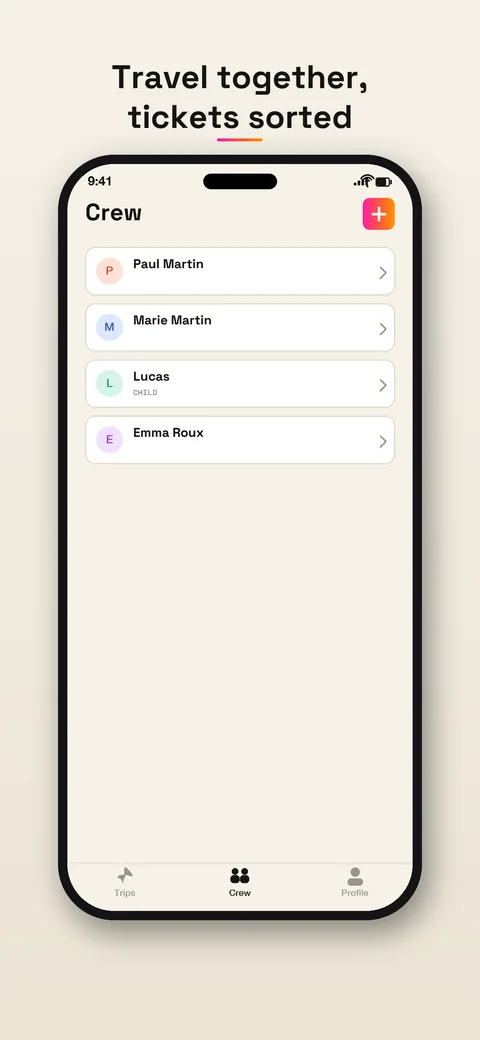
Then you add the bookings. Forward the confirmation email, share the PDF or take a photo. The app reads the name printed on each ticket and gives it to that traveler. Each ticket arrives on that person’s phone. Tickets for children stay on yours.
Who gets which ticket
Take a long weekend for two parents, a ten-year-old, a sixteen-year-old and a grandmother. One booking, five names.
- The grandmother joins from the link and gets her own ticket.
- The sixteen-year-old joins too, so their ticket is on their phone.
- The ten-year-old is in the crew as a child, and the ticket stays on a parent’s phone.
- Both parents are in the trip. Every member sees the trip and its tickets, so the other parent can open the children’s tickets too.
Open a ticket full screen and the app puts your own first. If you manage a child’s ticket, theirs comes up with it. The home screen widget shows your next ticket, not someone else’s.
The day itself
At the airport or the station, the person at the front opens the trip and the day’s tickets are listed in order. Tickets for the same journey sit together on one card, with the number of tickets on it. Nobody scrolls through a long PDF looking for page four.
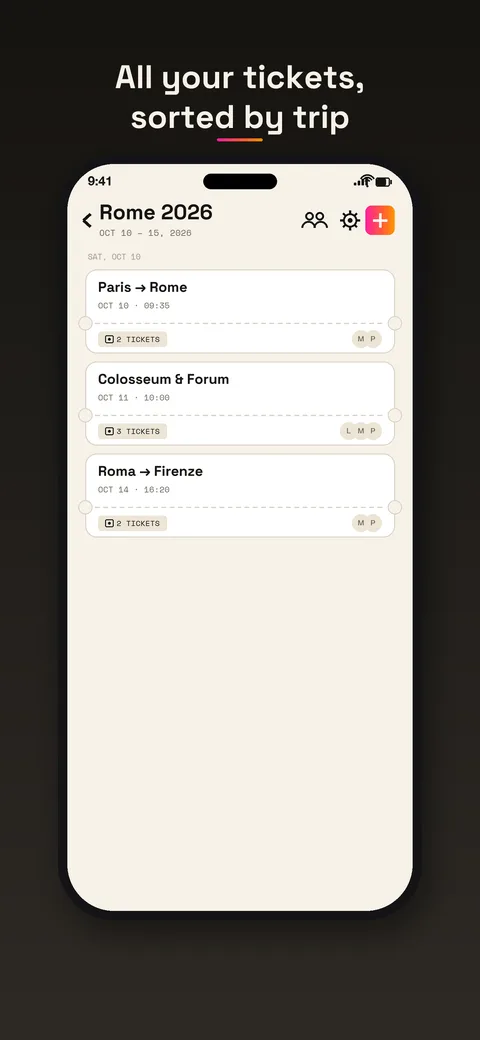
Tickets are stored encrypted on the phone, so they open without a signal. In the app you can also add a ticket to Apple Wallet or Google Wallet, and a reminder arrives before departure.
What stays the same
Travel Wallet does not book or sell anything. It will not tell you a train is late. It also cannot promise that a gate agent or an inspector accepts a code shown from any app, so keep each ticket where the company asks for it as well. If a company wants boarding passes in its own app, that is where they stay.
Bookings that did not come from you
On a group trip, other people book things too. A friend booked the apartment, someone else the concert. Give them the trip’s address and they forward their own confirmations. Everything lands in the same timeline. Share the address only with the people on the trip, since anyone who has it can send mail to it.
For the wider version of this problem, with parties and festivals, see the guide to sharing group trip tickets.
If it is mostly small kids, read traveling with kids. If it is a group of adult friends, see sharing tickets with friends.
Free to start
The app is free on iPhone and Android, and you can try it without an account, but inviting your crew needs a free one. Your first trip is free, with no ticket limit. Any new trip after that needs Premium. When you travel more, one Premium subscription covers the whole crew on the trip. Details are on the pricing page.