Picture the week before a city break. The flight is in one airline app. The train from the airport is a PDF in an email from three weeks ago. The museum slot is a screenshot somewhere in your camera roll. The hotel confirmation is in a different inbox, because you booked it with your other address. Every ticket exists. Finding the right one in a queue is the hard part.
Why tickets end up everywhere
Every company ships tickets its own way. Airlines want you in their app. Rail operators send a PDF or a barcode by email. Venues send a link. Nothing links them together, and nothing knows they belong to the same trip. So you become the filing system.
What you can do without any app
If you want to stay low-tech, these habits help a lot:
- Make one email folder per trip and drop every confirmation in it the moment it arrives.
- Download PDFs to your phone before you leave. A link inside an email will not open without signal.
- Start file names with the date, like “10-14 train to Paris”. They sort themselves.
- Keep ticket screenshots in their own album, away from holiday photos.
- Check the name and date on each ticket a week early, while a mistake is still cheap to fix.
It works. It just means you do the sorting again for every single booking, and everyone else on the trip does their own version.
Booked for several people? Forward the confirmation to Travel Wallet: every ticket lands on the phone of the traveler named on it.
One trip, one list, day by day
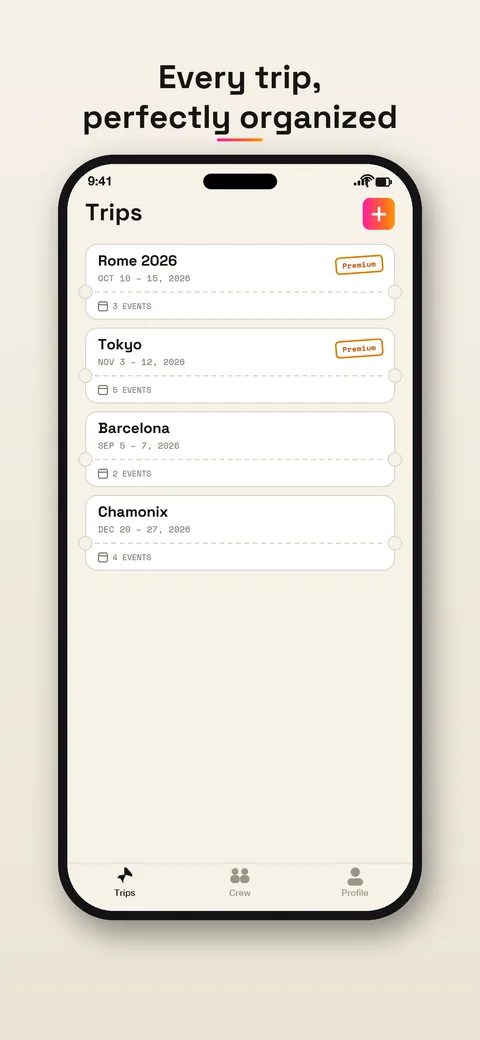
In Travel Wallet you create a trip, say “Rome 2026”, October 10 to 15. Every ticket for that stay goes inside, no matter who sold it. Your trips sit in a simple list, each with its dates.
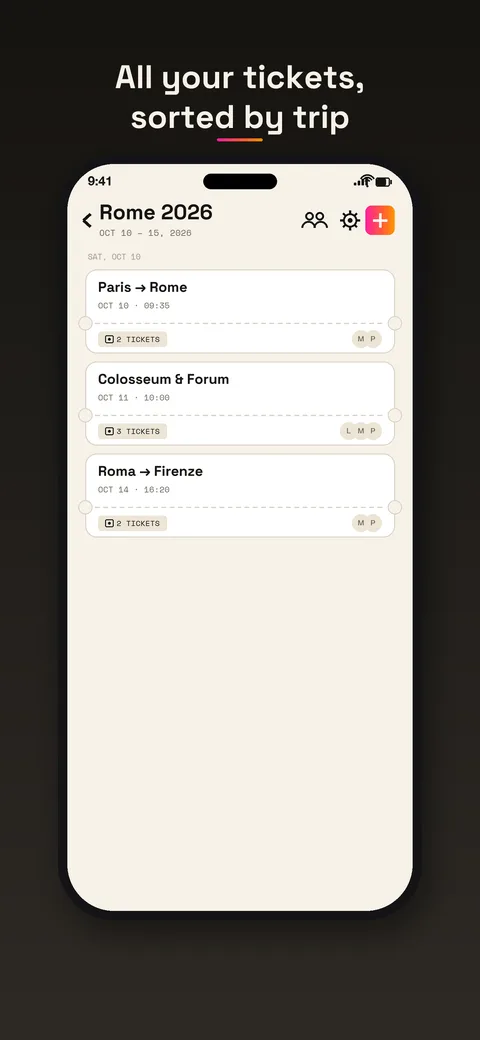
Open a trip and the tickets are laid out by day, in the order you will use them. The outbound flight on Saturday, the Colosseum the next morning, the train to Florence at the end. Tickets for the same journey share a single card, so two passengers on one flight show up as “2 tickets”. Anything without a date goes at the bottom.
Getting tickets in
You never retype a booking. Pick whichever is quickest:
- forward the booking email to the trip’s address;
- share a PDF from another app;
- take a photo of the ticket;
- choose an image, a screenshot for example;
- line up paper tickets one after another with Scanner mode, in the app.
The app then reads the ticket: type, route or venue, date and local time, train or flight number, coach, seat, reference. An email holding several tickets becomes several tickets. The email route is explained step by step in the guide to forwarding a booking email.
At the gate
Open the trip, tap the ticket, and the QR code or barcode fills the screen at full brightness, regenerated so it stays sharp. In the app, tickets are stored encrypted on your phone, so they open without a signal. That helps in a tunnel, or abroad with data switched off.
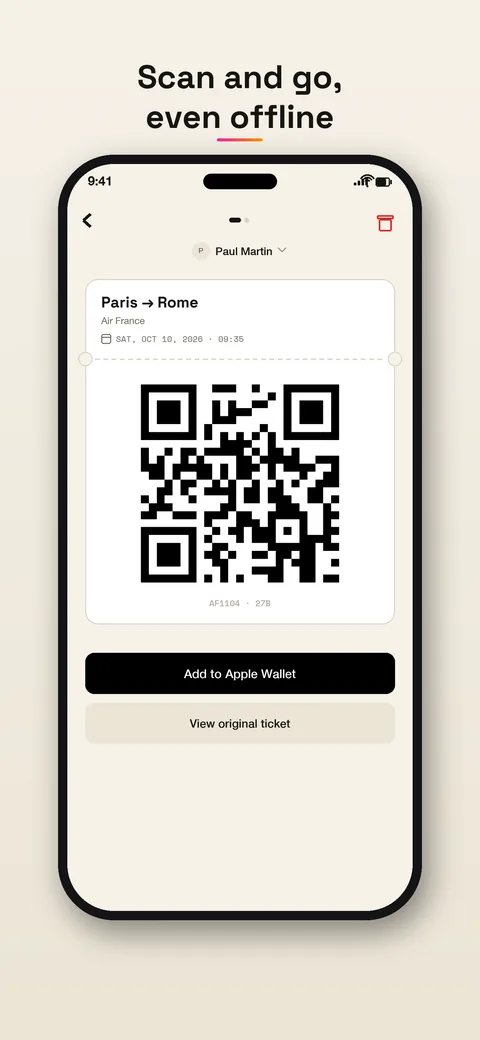
From the app you can also add a ticket to Apple Wallet or Google Wallet, get a reminder before departure, and export the ticket to your calendar.
One habit worth keeping: carry the ticket where the company asks for it too. Travel Wallet files your tickets. It does not change what an airline or a rail operator accepts.
What it will not do
It does not sell tickets, book anything or compare fares. It does not show live delays or platforms either. For that, stay with the company’s app or the departure board. Travel Wallet’s job is smaller: the right ticket in your hand at the right time.
When you travel with others
If you book for four, the confirmation lands only in your inbox. In Travel Wallet each ticket goes to the traveler whose name is printed on it and appears on their phone. Children’s tickets stay on yours. You invite the crew with one link, and the guide to sharing tickets on a group trip covers the details.
Try it with one booking
The app is free to start, on iPhone and Android, with no account needed. Forward one confirmation and see how the day looks. If you travel a lot, Premium removes the limits, and everyone on a trip benefits from one subscription. The plans are on the pricing page.