You have a London to Paris train on Friday morning, a hotel near Gare du Nord and a dinner booking on Saturday. The train ticket is the one that cannot go wrong. Here is how Eurostar hands it over, and how to keep it next to everything else.
Adding your Eurostar ticket to Apple Wallet or Google Wallet
Yes, for bookings without a connecting journey. Eurostar gives two ways:
- In the Eurostar app: go to “Your bookings”, enter your six-letter booking reference and surname, tap “View tickets”, then tap the icon under each ticket to add it to Apple Wallet or Google Wallet.
- From eurostar.com: in Manage your booking, enter each passenger’s contact details and click “Email mobile tickets”. Open the attachment in the email and tap “Add”.
If you change anything on the booking, Eurostar says you need to save the updated ticket to your wallet again. On London routes, you hold the barcode up to the reader at the ticket gate.
Travelling as a group? Forward the booking email to Travel Wallet. Each ticket goes to the traveler whose name is printed on it, on their phone.
Do you need to print your Eurostar ticket?
No. Eurostar’s page does not ask you to print. You can show the ticket from the Eurostar app (on London routes, its barcode opens the ticket gate), add it to a wallet (bookings without connecting journeys only), or print it. To print at home, click “Print tickets” in Manage your booking and print the file or save it for later. At the station, self-service machines print tickets from your booking reference and the card used to book.
What Eurostar gives you
Eurostar’s help pages describe how you get your ticket. You log in to Manage a booking with your six-letter booking reference and your last name, then choose how you want to receive it. There are three routes:
- The Eurostar app. Find the booking with the same reference and surname and open the ticket there.
- Your phone’s wallet. Apple Wallet or Google Wallet, for bookings without connecting journeys (steps above).
- Paper. Print the ticket at home from Manage a booking.
Eurostar no longer sends tickets by post. If you cannot print and have no smartphone, its help pages say tickets can also be collected at the station. Some connecting journeys have their own rules. Eurostar’s page on its SNCB connection says mobile tickets for that train can only be shown from the Eurostar app, and that a PDF has to be printed on A4 paper before you travel.
The simplest way into Travel Wallet
Start with the booking confirmation. Open the email and forward it to your trip’s address. The app reads the route, the date and local time, the train, coach and seat if they are shown, the booking reference and the name of each passenger.
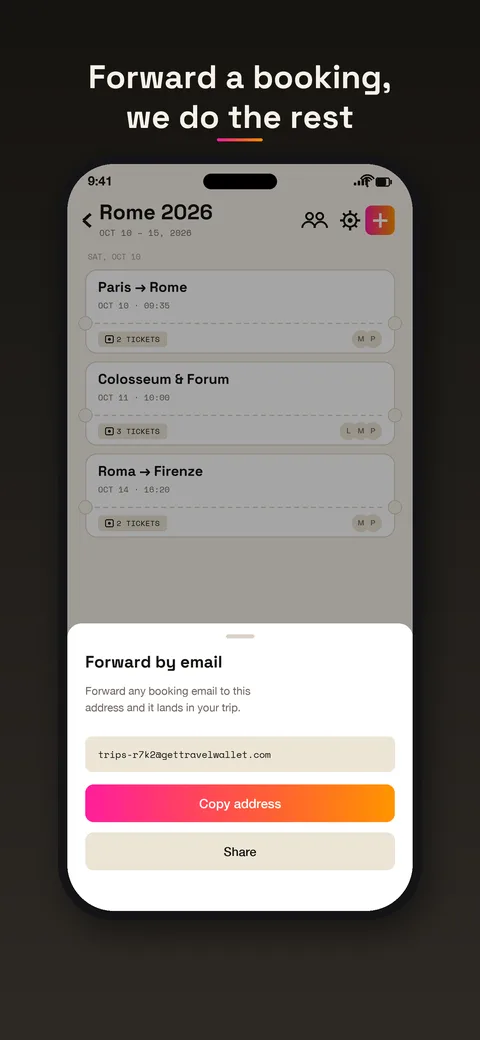
If you only have the PDF, share it from your files or your mail app straight into the trip. If you have a printout, take a photo. If your ticket is a screenshot, choose that image.
What you gain
Your Eurostar train stops living alone. It lands in the trip, in the right day, between the flight home and the museum booking. Tickets for the same journey, say three passengers, share one card.
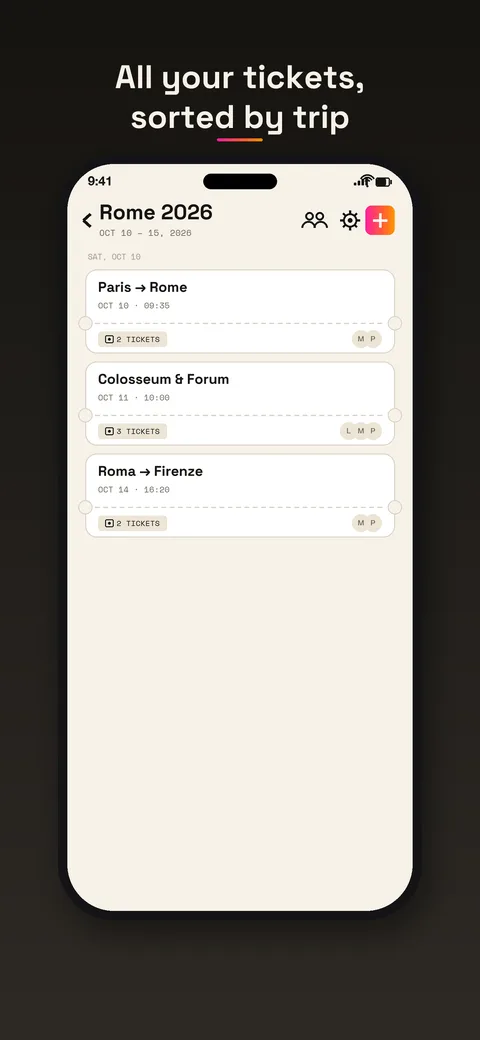
A few other things come with it, all in the app. Tickets are kept encrypted on your phone, so they open without data, which is handy in the tunnel. A reminder arrives before departure, and a ticket can be exported to your calendar. If you want a pass in your phone’s wallet, the app can add the ticket to Apple Wallet or Google Wallet. That wallet pass is Travel Wallet’s, separate from the one Eurostar offers.
Travelling with other people
Eurostar bookings are often made by one person for the whole group. In Travel Wallet each ticket goes to the traveler whose name is printed on it, on their own phone. Children’s tickets stay on a parent’s phone. You invite the crew with one link, so nobody needs to forward a PDF on the platform.
What to keep in mind
Travel Wallet does not sell Eurostar tickets and does not show live departures or delays. For that, use Eurostar’s own app or the station boards.
The important one: gates and agents check what Eurostar asks for. Keep the ticket in the form Eurostar gave you, the app, the wallet or the paper, even if a copy sits in your trip. This matters more when your booking has a connection, because those can have stricter rules about what you can show.
And a practical tip when a booking changes: Eurostar says to save the updated ticket again. Do the same in Travel Wallet by sharing the new PDF or forwarding the new email, and delete the old ticket so only the right one is left.
A sample day
You leave London at breakfast. The night before, you open the trip and check the card: the train, the time, the coach. On the platform, you open Eurostar’s own ticket as the company asks. In Paris, you switch to the hotel booking, which is on the same day in the same trip, with the address and check-in time. Dinner is the last card of the day.
If you like having passes in your phone’s wallet, the guide to adding tickets to Apple Wallet or Google Wallet explains how that works on the Travel Wallet side.
Free to start
The app is free on iPhone and Android, with no account to create. Your first trip is free, with no ticket limit. Any new trip after that needs Premium. Premium is for frequent travelers, and one subscription covers the whole crew. See the pricing page.