A trip on British Airways is rarely just one flight. There is a connection somewhere, a hotel for the first night, a car pick-up, a theatre booking. The boarding pass is a small part of that picture. It still needs to be exactly where British Airways expects it.
Adding your British Airways boarding pass to Apple Wallet or Google Wallet
Yes, from the British Airways app. Its app page lists “Save your boarding pass to your Apple or Google Wallet, ready for departure” among the check-in features.
- Open the British Airways app and check in. British Airways says app check-in opens 24 hours before departure.
- Save the pass to your wallet from the app.
- You can also print, download or email the pass from Manage My Booking, or print it at a kiosk at the airport.
BA does not describe the exact taps on that page, so follow what the app shows on your phone.
What British Airways gives you
From British Airways’ own help pages:
- You can check in from 24 hours before departure with the British Airways app.
- The app can download boarding passes for up to eight people in the same booking on one phone.
- For return flights, and connecting flights where possible, you can download the passes to your device when they depart within 24 hours.
- With a boarding pass on your phone, you can go straight to Bag Drop with your ID and travel documents.
- If you lose or forget the pass, you can print it again at a kiosk at the airport, and the check-in desks can help too.
So the boarding pass belongs to the BA app, your phone’s wallet or paper. That is where it stays.
What goes into Travel Wallet
Everything that surrounds the flight. Say you are flying London to New York on a Friday, back the following Friday, with a hotel in Midtown and tickets to a Saturday evening show.
Forward the British Airways booking confirmation to your trip’s address. The app reads the route, the flight numbers, the date and local time, the reference and the passenger names. An email holding the outbound and the return gives you both flights as separate tickets.
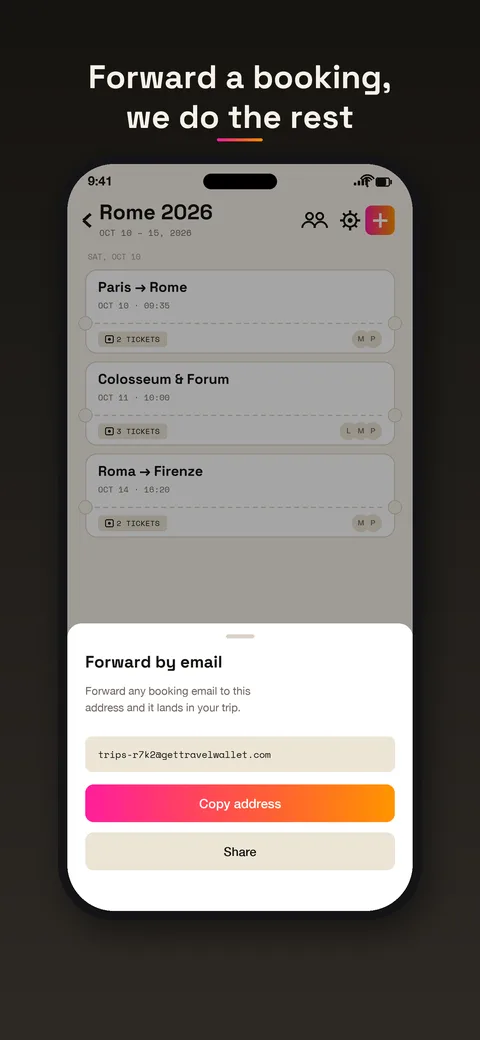
Then forward the hotel and the show. They fall into the right days.
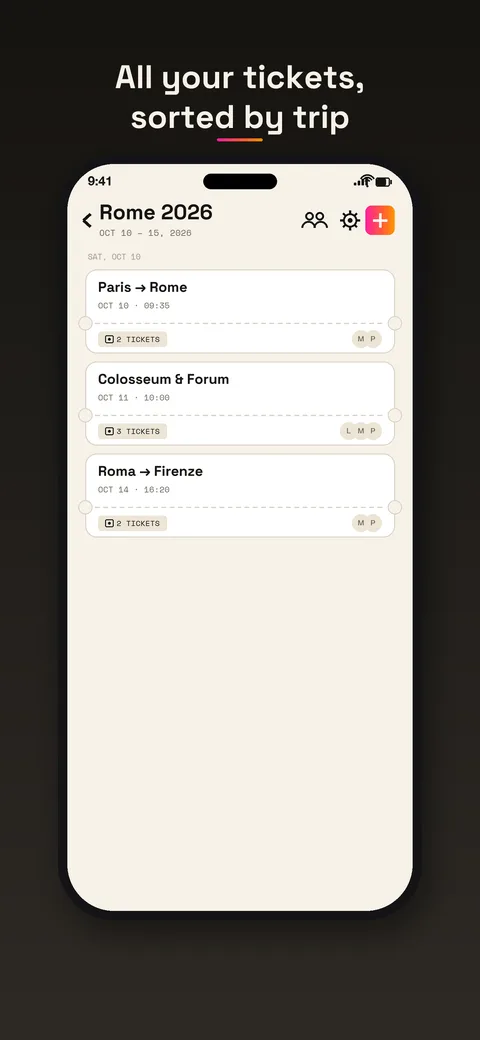
Each day has its own list, in order. At the airport you can check the plan in a glance instead of searching for the hotel email while you queue.
Families and groups
Eight passes on one phone is a good number for a family. British Airways handles that in its app, for the flight. Travel Wallet handles the other layer: who holds each ticket for everything else on the trip.
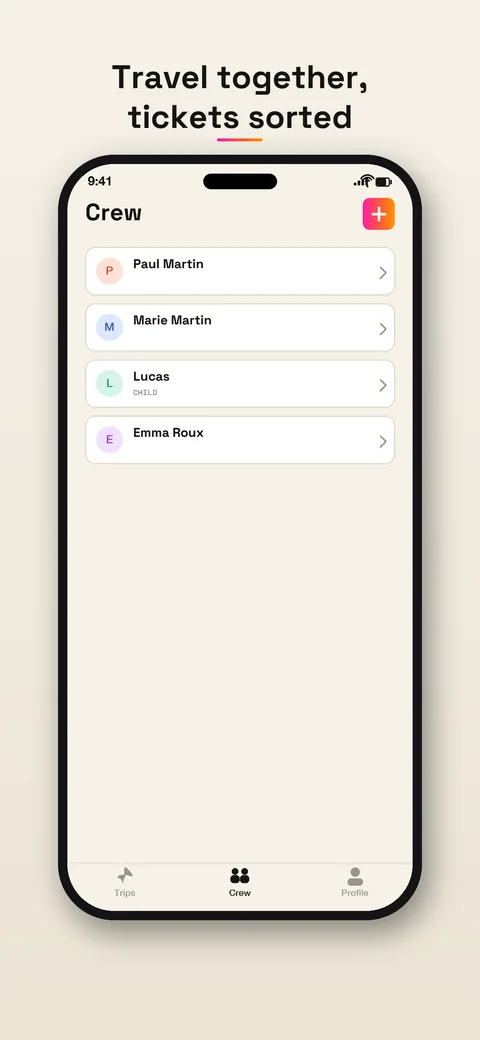
Each ticket from a booking goes to the traveler whose name is printed on it, and tickets for children stay on a parent’s phone. You invite the rest of the crew with a link. If one phone has no battery, there is another with the plan. The guide to family travel and children’s tickets goes deeper.
What you gain in the app
Tickets in Travel Wallet are stored on your phone, encrypted, so the plan opens in flight mode or without roaming. A reminder arrives before departure, and a ticket can be exported to your calendar. For a trip with several stops, the day-by-day list does most of the work: the connection and the hotel are on the same screen.
Limits, said plainly
Travel Wallet does not check you in. It does not show gate changes, delays or live updates, which British Airways pushes through its own app. It also cannot promise that an airport gate accepts a code shown from any other app. Keep the boarding pass in the BA app, in a wallet or on paper, as the airline describes it.
British Airways is rolling out a new version of its app, so the screens can differ from one phone to the next. Check the steps in the app for your flight. If your booking changes, forward the new email and delete the old ticket, so the plan shows only what is real.
Free to start
The app is free on iPhone and Android, and a guest session opens on its own. Your first trip is free, with no ticket limit. Any new trip after that needs Premium. For frequent travelers, Premium lifts the limits for the whole crew on a trip. See the pricing page.