Two different things happen with an easyJet flight. First you book, and you get a confirmation. Later you check in, and the boarding pass appears. Keeping those two apart makes the whole trip calmer.
Adding your easyJet boarding pass to Apple Wallet or Google Wallet
Yes. easyJet’s mobile boarding pass page says you can download your mobile boarding pass directly to your Apple or Google wallet, and that this also lets you open it offline.
- Check in first, in the easyJet app. The pass only exists after check-in.
- Then download the mobile pass and add it to your wallet.
- Some airports do not accept mobile boarding passes at all, Antalya, Marrakech and Hurghada among them. From those, check in on easyJet.com and print a paper pass.
easyJet lists the airports on that page, so look up yours before you travel.
What easyJet gives you
Per easyJet’s help pages, you check in online before you reach the airport. Then you either download a mobile boarding pass or print it. The wallet option is covered above.
One detail catches people out. easyJet says you cannot use a PDF scan of your boarding pass on your phone, because the airport security team cannot scan it. A mobile pass from easyJet or a printout, nothing in between.
There is also a catch for a few airports. easyJet lists some where mobile passes are not accepted, and from those you check in on its website and print a paper pass. If you change your flight after checking in, easyJet says to check in again and print or download a new pass.
Where Travel Wallet fits
The boarding pass belongs in easyJet’s app or on paper. So what goes into Travel Wallet is everything around it: the booking confirmation, the train to the airport, the hotel, the activity you booked for the second morning.
Forward the easyJet booking confirmation to the trip’s address. The app reads the flight number, the date and local time, the route, the reference and the passenger names.
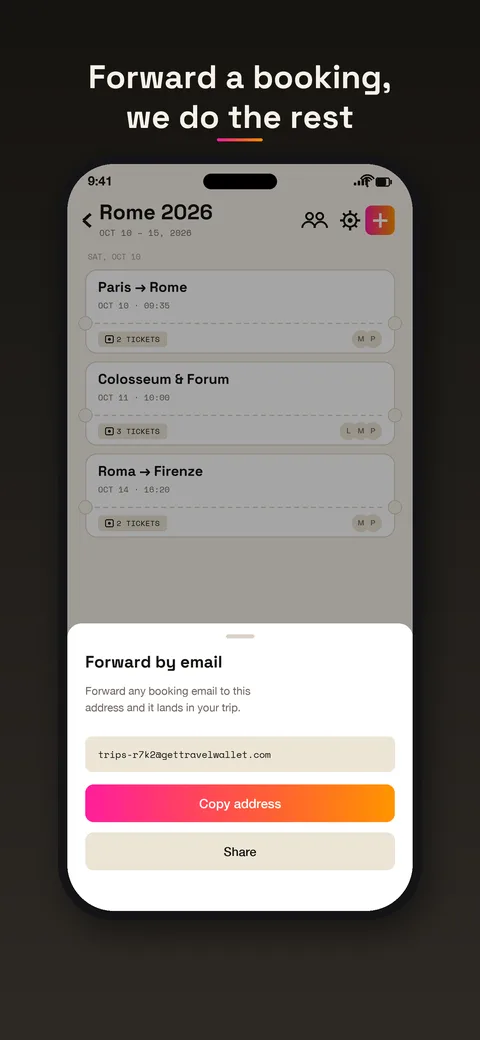
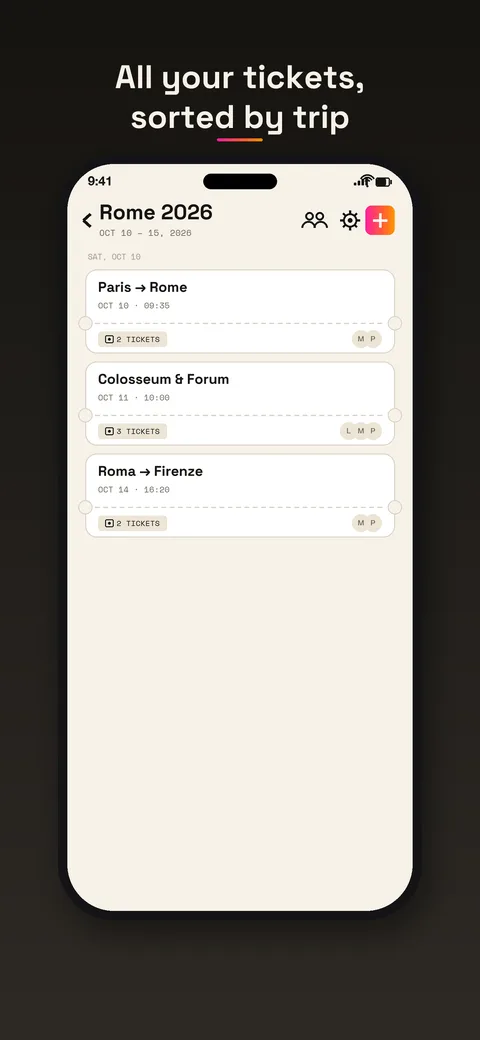
Now the flight sits in your timeline on the right day, with its time, next to the other bookings.
Who is on the flight
A low-cost flight for a family of five is one booking and five names. Travel Wallet gives each ticket to the traveler whose name is printed on it. Children’s tickets stay on a parent’s phone, and adults who join the crew get theirs directly. Everyone can see the day plan, so nobody asks the booker what time the flight is.
For group handling of tickets in general, see the guide to sharing group trip tickets.
The sequence that works
A simple order for the days around a flight:
- When you book, forward the confirmation to the trip.
- Add the rest of the trip as you book it: transfers, hotel, tours.
- When check-in opens, check in with easyJet, in the app or on the website.
- Download the mobile boarding pass, or print it if your airport needs paper. Add it to a wallet if you like.
- On the day, open the trip for the plan and easyJet’s app for the pass.
Because tickets in Travel Wallet are stored on your phone, encrypted, the plan opens without signal. A reminder arrives before departure.
Honest limits
Travel Wallet does not check you in, sell flights or show delays and gates in real time. For that, you need easyJet’s app. It also cannot promise that a security gate accepts a code shown from any app other than the airline’s. If you added the boarding pass to the trip as a photo or a PDF, treat it as a backup, and keep the real pass where easyJet tells you to.
If you change your flight after check-in, easyJet says to check in again. Replace the old booking in your trip with the new email or PDF, so the timeline matches.
Try it on your next flight
The app is free to start on iPhone and Android, with no account needed. Your first trip is free, with no ticket limit. Any new trip after that needs Premium. If you fly often, Premium lifts the limits, and everyone on a trip benefits. Plans are on the pricing page.