Ryanair has moved to a single way of doing boarding passes. It says it has gone 100% digital: every passenger receives a digital boarding pass in the Ryanair app when they check in online. So the real question is not where to print. It is where to keep everything else.
Can you add a Ryanair boarding pass to Apple Wallet or Google Wallet?
Ryanair’s Digital Boarding Pass page says your pass appears in the Ryanair app after online check-in, and that the app is the only way to access it. The page does not mention Apple Wallet or Google Wallet, so use the app.
- Check in online on Ryanair.com or in the app.
- Open the pass in the app. Once you have checked in, it is available offline there.
- If your phone is lost or dead after online check-in, Ryanair says you get a free boarding pass at the airport.
Passengers flying from some Moroccan airports collect a printed pass instead, so read the page for your route.
What Ryanair gives you
Here is what Ryanair’s pages say:
- You check in online before the flight. Ryanair sends email reminders to do it.
- After check-in, the digital boarding pass appears in the Ryanair app. You need the app to get it.
- Each passenger gets a pass of their own.
- Once you have checked in, the pass is available offline in the app, which helps with poor airport Wi-Fi or no data.
- Check-in desks are still at the airports, but if you have not checked in online, you pay the airport check-in fee.
- If you checked in online and your phone is lost or dead before security, you get a free boarding pass at the airport.
Rules for specific airports and routes change, so read the help pages for your flight a few days before you go.
What this means for Travel Wallet
The boarding pass stays in the Ryanair app. That is fine, because the boarding pass is only one card of a bigger day. The booking, the hotel, the shuttle into town and the evening activity still need a home.
Forward the Ryanair booking confirmation to your trip’s address. The app reads the route, the flight number, the date and local time, the reference and the names.
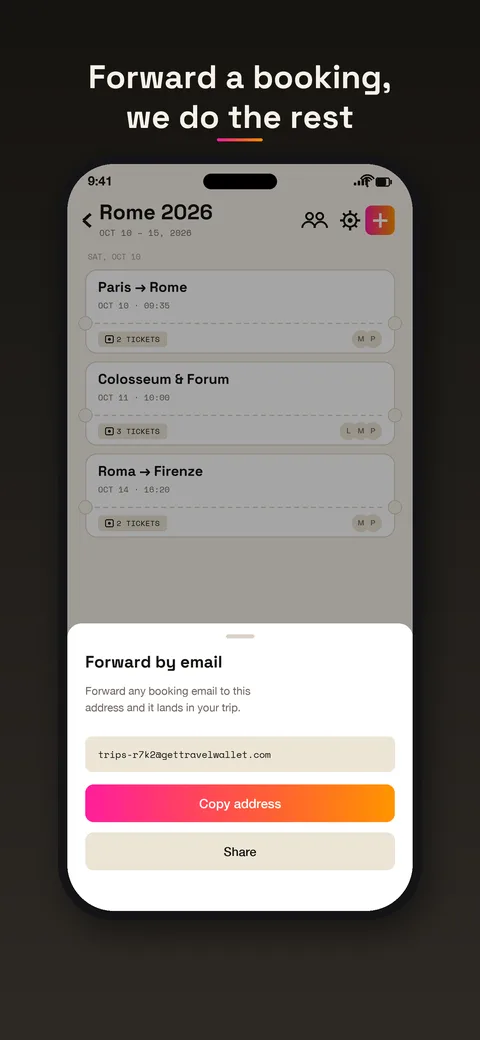
The flight appears in the trip on the right day. Add the hotel the same way, and the transfer ticket.
Weekend trips, built around a cheap flight
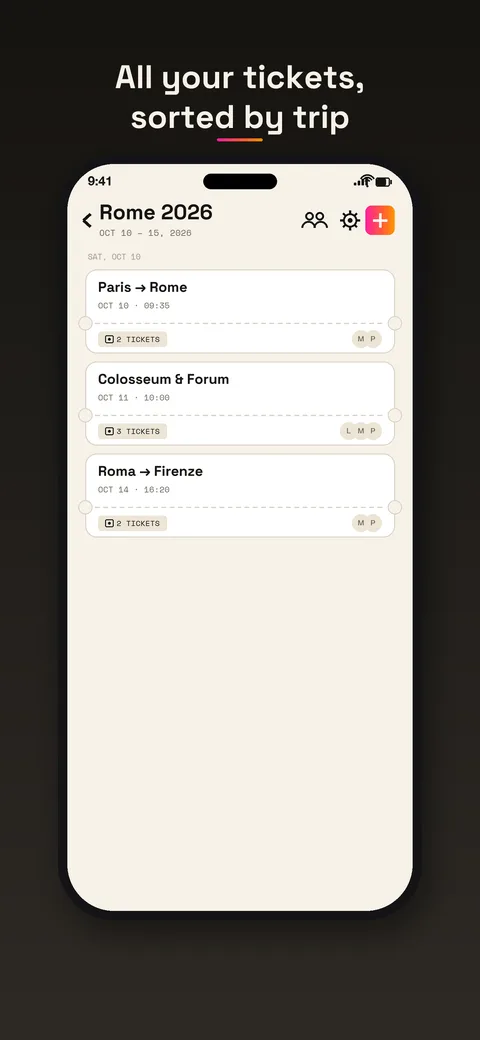
Ryanair is often the first booking in a trip that grows around it. You find a flight to a city, then add a hotel, a train from the airport, a food tour. Four bookings from four companies in four formats. Travel Wallet puts all four in one trip, sorted by day.
When you open the trip at 6 in the morning, the plan shows you the day: flight at the time you booked, then the hotel check-in and the first evening. When you need the boarding pass, you switch to the Ryanair app. Two apps, each with one job.
Several passengers, one booking
Ryanair gives each passenger a digital pass of their own in the app. Agree before the airport who checks in whom, and who has the app. In Travel Wallet each ticket from a booking goes to the traveler whose name is printed on it, and everybody sees the plan. The guide to sharing group trip tickets covers the usual setups.
Limits worth knowing
Travel Wallet does not check you in, and it does not hold the Ryanair boarding pass. It also does not show live delays, gates or boarding times. For those, use Ryanair’s app.
If you add a photo or PDF of a boarding pass to your trip, keep it as a backup only. The pass Ryanair issues is the one in its app, so that is the one to show.
On the plus side, reminders and the offline plan do not depend on Ryanair. In the app, tickets are stored encrypted on your phone, and a reminder arrives before departure.
Try it on your next trip
The app is free to start on iPhone and Android. A guest session opens by itself, so there is no account to create first. Your first trip is free, with no ticket limit. Any new trip after that needs Premium. See the pricing page for Premium.