Typing a train number, a coach and a seat into a form is the kind of job nobody should do twice. All of it is already in the confirmation email. The only question is who does the reading.
What happens when you forward an email
Every trip in Travel Wallet has its own email address. You forward a booking confirmation to it, from whatever mail app you already use. A few moments later the tickets show up in the trip.
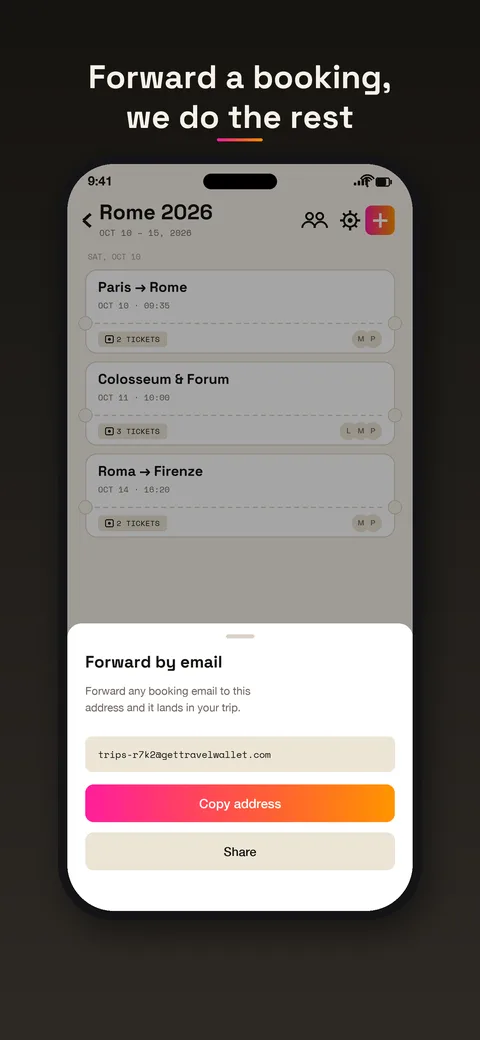
That is the whole job on your side. The app does not log into your mailbox and cannot see your other messages. It reads what you send and nothing else.
What the AI picks out
The AI reads the message, and the PDF or image attached to it, the way you would. It looks for:
- the type of ticket: train, flight, bus, ferry, hotel, concert, match, visit, restaurant;
- the route or the venue;
- the date, with the local time;
- the train or flight number, the coach, the seat, the gate;
- the booking reference, and the price when one is shown;
- the barcode or QR code, which is then rebuilt clean so it scans at full screen.
Nobody maintains a list of supported companies. A confirmation from a small regional railway is handled the same way as one from a big airline, because the content is what gets read, not the sender.
One email, several tickets
Booking for three people on a flight, with a return? That email can hold six tickets. The app splits it. Each ticket gets its own date and time and is given to the traveler whose name is printed on it. Tickets for the same journey stay together on one card in the timeline.
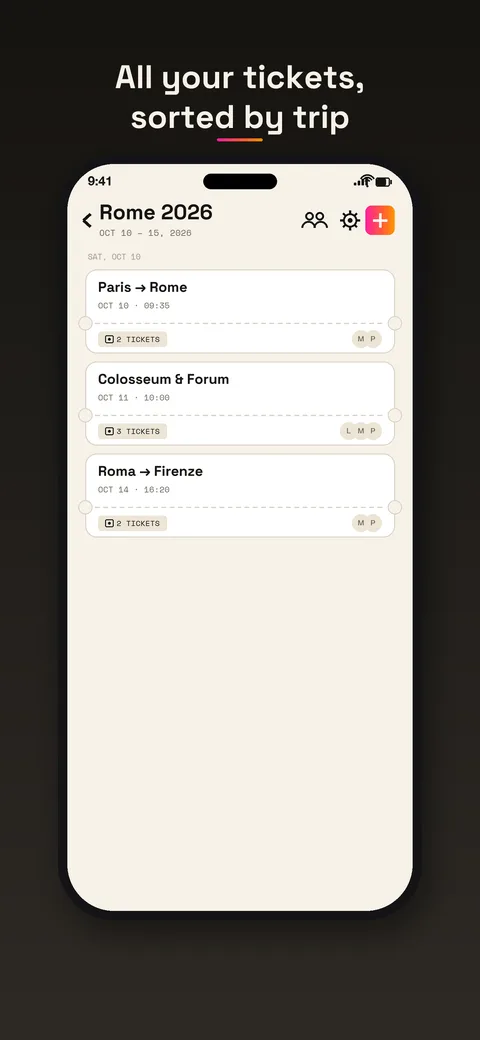
That is why the timeline is useful on the day. Tickets are sorted by day in chronological order, and the ones with no date go at the end.
Other ways in, same reading
Email is the fastest route, but it is not the only one. The same reading applies when you:
- share a PDF from another app;
- take a photo of a ticket;
- choose an image from your gallery;
- line up paper tickets with Scanner mode, in the app.
For a ticket that exists only on paper, a photo is enough. See the guide to forwarding a booking email for the step-by-step version of the email route.
Where you still have to check
The AI is good at reading. It is not infallible. A faded print, an odd layout or a name spelled two ways can trip it. So before a trip, take a minute to look at each ticket: name, date, time, seat. If something is off, edit it. That check costs a minute now, and a wrong time costs a lot more at the station.
There are also things it was never meant to do. It does not book or sell anything. It does not follow live delays. And a ticket in Travel Wallet does not change what the company accepts, so keep each ticket where the company asks you to show it too.
What happens to the original
The original stays with the ticket, and a View original ticket button opens it. Original files are deleted 14 days after the trip’s end date. The tickets that were extracted stay readable after that. Your data is not sold, and there are no ads.
Free to start
You can test all of this on a single booking, on iPhone or Android, without making an account. Your first trip is free, with no ticket limit. Any new trip after that needs Premium. Premium lifts the limits for people who travel often. The plans are on the pricing page.